

Doctor pages that get booked: anatomy of a profile that converts
Last reviewed
A doctor profile page converts when it answers four patient questions in order: does this doctor treat my problem, can I trust them, can I see them soon at a unit I can reach, and what happens when I book. That means a disciplined first screen, focus areas in patient language, a pre-filled booking flow, clean structured data and governance that keeps hundreds of pages accurate.
Updated 11 October 2026 as per the NMC’s new advertising guidelines. Under the NMC’s Guidelines on Ethical Advertising and Public Communication, in force since 6 October 2026, doctors and hospitals can no longer request or share patient reviews or testimonials for promotion, use before-and-after photos or promotional patient stories (even with consent), offer discounts or other inducements, or make superiority or guaranteed-outcome claims. The advice below has been revised accordingly. See what the 2026 NMC guidelines allow.
This article is part of the healthcare digital growth series, best read in order from the pillar.
Most hospital websites have a doctor profile page for every consultant, and most of those pages do one job badly: they prove the doctor exists. A name, a photograph taken against a corridor wall, a list of degrees, a paragraph lifted from a CV. The patient who lands there has usually already decided they have a problem. What they are trying to decide is whether this doctor, at this unit, on a day they can manage, is the right call. A page that does not help with that decision is a dead end with good intentions.
In my experience, doctor pages are the most visited and least designed pages on a hospital site. They pull traffic from Google, from Maps, from referrals and from people who heard a name from a relative. They carry more booking intent than any page except the appointment form itself. Yet they are usually built once during a website project, populated from whatever HR had on file, and never looked at again until a doctor complains about a photo.
This piece is about the anatomy of a profile that converts: what goes on the page, in what order, who owns it, and how you keep hundreds of them honest across units. It is written for the people who run digital and growth inside hospital groups. The doctors should read it too.
What a doctor profile page is actually for
Start with the job. A patient arriving on a doctor profile page is asking roughly four things, in this order. Does this doctor treat what I have? Can I trust them? Can I see them soon, at a place I can reach? What happens when I press book? Every element on the page should answer one of those questions or get out of the way.
That framing changes a lot. Memberships and fellowships matter, but they answer the trust question for the minority of patients who can interpret them. Conditions treated and procedures performed answer the first question for everyone, and they are usually buried or missing. OPD timings and the unit answer the third question, and on many sites they live on a separate page or in a PDF. The booking button answers the fourth, and it often opens a generic form that asks the patient to choose the doctor all over again.
I think of the page as the short conversation a good front desk executive would have. Here is who she is, here is what she sees most, here is when she sits at which unit, here is the next slot, shall I hold it for you. If your page cannot have that conversation without a phone call, the phone call becomes the conversion step. You will lose people at night, on Sundays and whenever the line is busy.
What should the first screen of a doctor profile page show?
On a phone, which is where most of your traffic sits, the first screen decides whether the patient scrolls or leaves. I would put six things there and nothing else.
- Name and specialty in plain words. “Consultant, Interventional Cardiology” is accurate, but add the phrase patients actually search for, such as heart specialist.
- A real photograph. Recent, well lit, face clearly visible, and the same framing across the group so no page looks like an afterthought.
- Units and days. Which hospital, which days, morning or evening. If the doctor sits at two units, show both.
- Languages spoken. In India this is a conversion factor, not a courtesy. A family whose elder speaks only Marathi or Tamil wants to know before booking.
- The next available slot, or a clear route to one. Live availability where the scheduling system allows it, a stated call-back promise where it does not.
- One primary action. Book an appointment. Not book, call, WhatsApp, enquire and download brochure competing side by side.
Consultation fee is the contested item. Many groups hide it. My view is that showing the fee, or at least stating it clearly inside the booking step, removes a reason to abandon and removes an awkward moment at the billing counter. Where the business is uncomfortable showing it, the usual cause is that fees vary between units without a clear logic. That is a pricing problem the page is merely exposing.
Focus areas written in the patient’s words
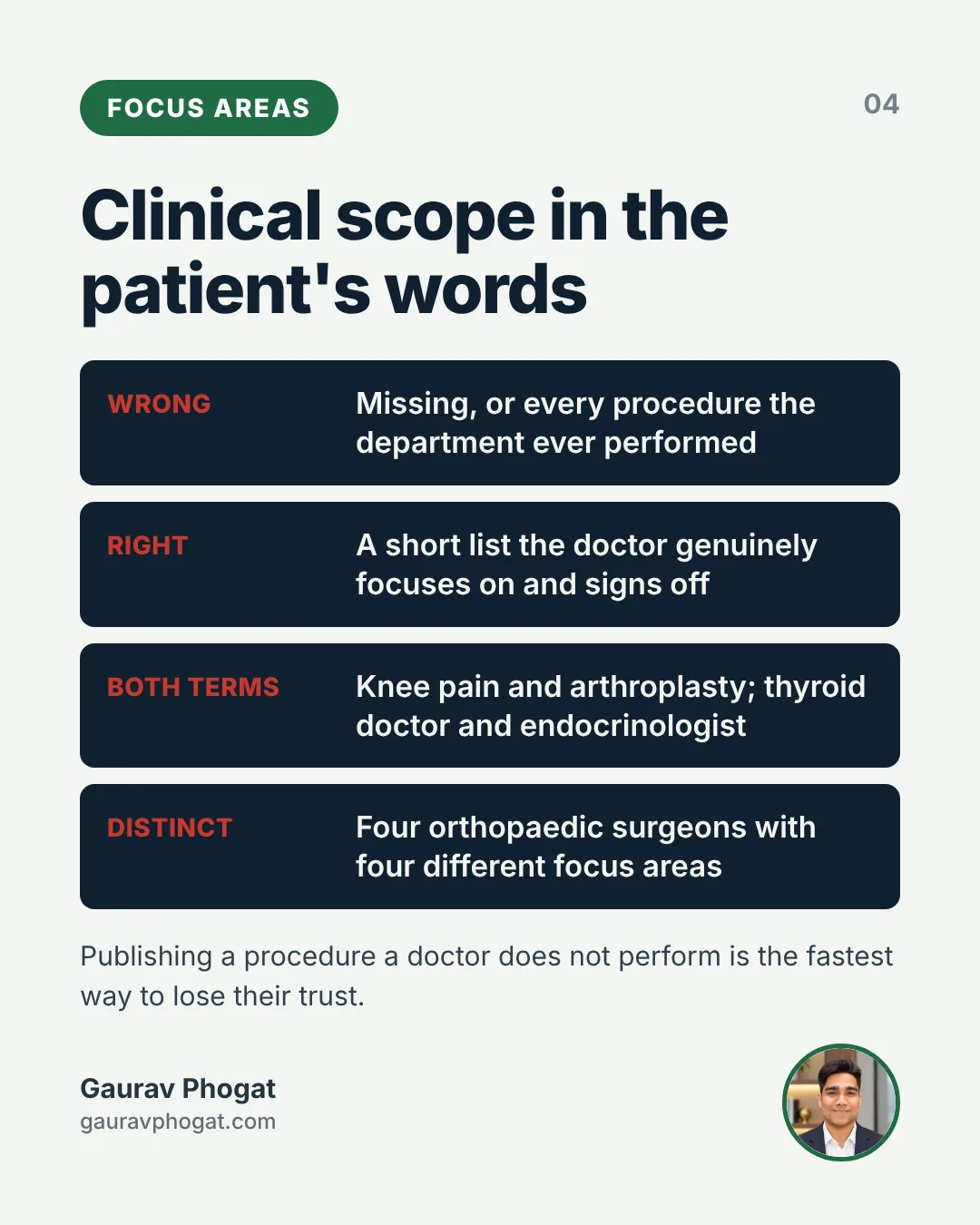
The section most doctor pages get wrong is clinical scope. It is either missing, or it is a long comma-separated list copied from a brochure that includes every procedure the department has ever performed. Neither helps a patient decide, and neither helps search.
What works better is a short, structured list of the conditions and procedures this doctor genuinely focuses on, written in the words patients use and approved by the doctor. Patients search for knee pain, not arthroplasty. They search for thyroid doctor, not endocrinologist. A good page carries both: the patient’s words in the heading or summary, and the clinical term alongside for accuracy and for the referring GPs who use it.
This is also where you separate doctors within a department. Four orthopaedic surgeons with identical pages compete with each other and confuse the patient. Four surgeons with distinct focus areas (sports injuries, joint replacement, spine, paediatric orthopaedics) send the right patient to the right clinic. That protects each doctor’s practice and means fewer patients re-routed at the desk.
The scope list must be signed off by the doctor and ideally by the head of department. It is a clinical statement, not marketing copy. I have not found a faster way to lose a clinician’s trust than publishing a procedure they do not perform.
Which trust signals do patients actually read on doctor pages?
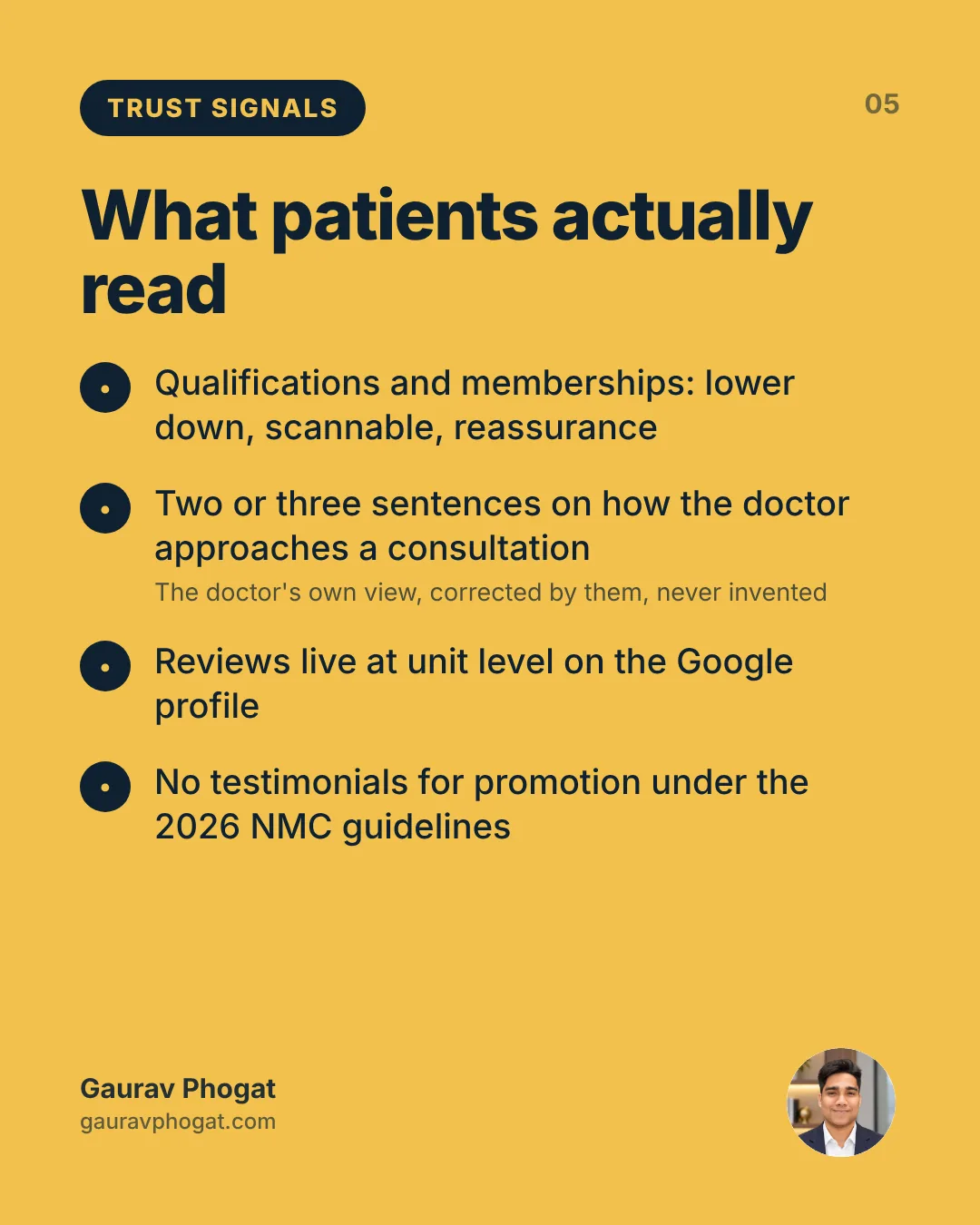
Years of experience, qualifications, previous institutions and memberships all belong on the page, lower down and in a scannable form. Patients read them as reassurance rather than as the reason to book. What they read closely is anything that sounds like a person.
A short introduction about how the doctor approaches a consultation is worth more than a paragraph of honours. Two or three sentences are enough: who they see most, what they want a patient to understand after the first visit, whether family members are welcome in the room. It must be the doctor’s own view, drafted by your team and corrected by them, never invented.
Reviews are the harder question. Patient feedback on a doctor page is persuasive, and it is also risky: it can run against medical advertising norms, invite complaints and put pressure on clinicians. I prefer to let reviews live at the unit level on the Google profile, where the platform owns the mechanics, and to keep the doctor page factual. If you do show testimonials, they need documented consent, clinical review and no language about results. The piece on Google reviews as the hospital’s real front desk covers why the unit listing is where most of that trust gets built anyway.
The booking step is part of the page
A profile converts or fails at the moment the patient taps the button. Everything upstream is wasted if what follows is a generic form asking for department, doctor, unit and date again, then a thank-you message and silence.
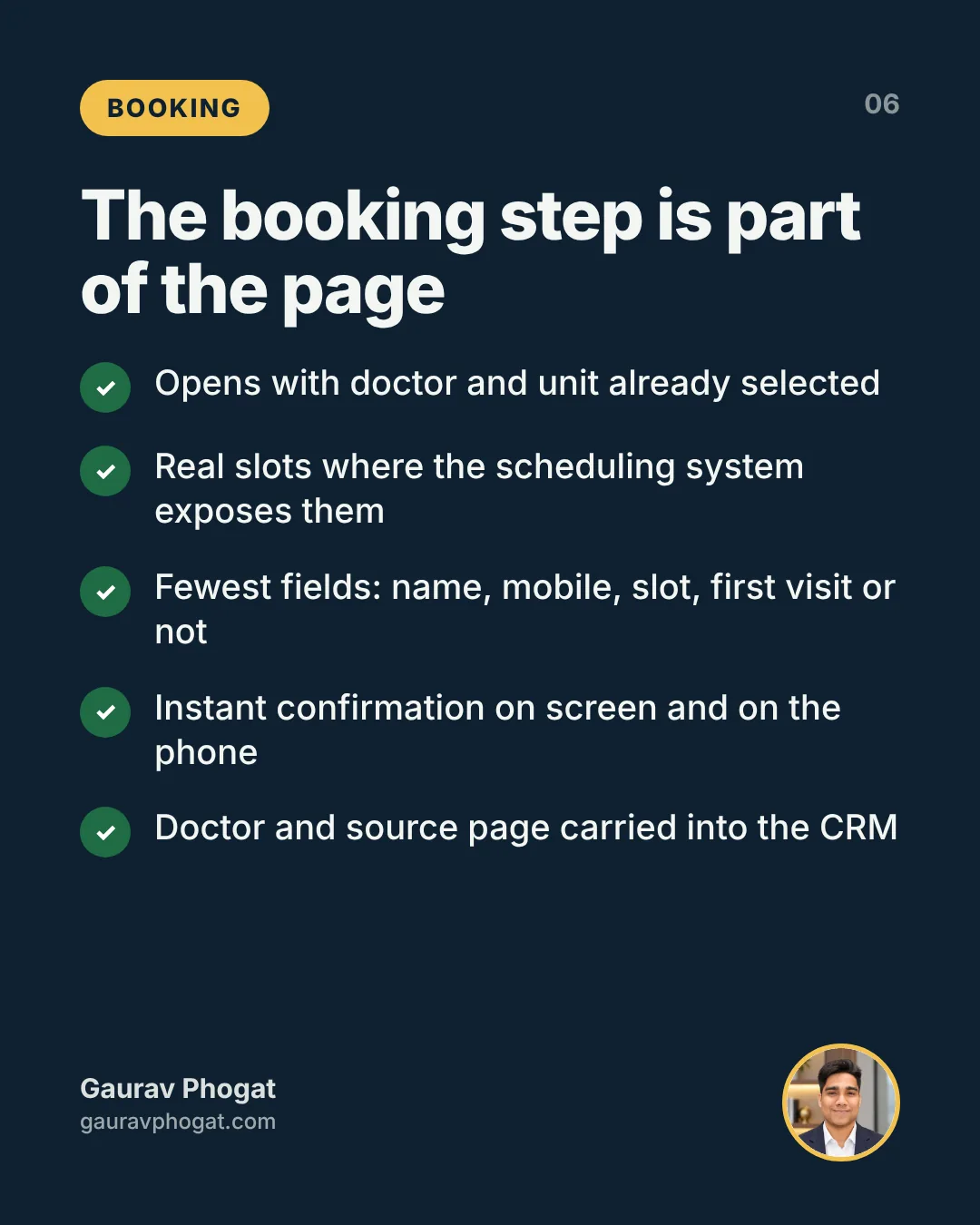
The minimum standard I hold teams to is this. The booking flow opens with the doctor and unit already selected. It shows real slots where the scheduling system exposes them. It asks for the fewest fields needed: name, mobile number, preferred slot and whether this is a first visit. It confirms instantly on screen and on the patient’s phone. Where live slots are not possible, the page says plainly what happens next, such as a call from the appointments team within a stated window during working hours, and then that promise is kept.
Every booking or enquiry must carry the doctor and the source page into the CRM or appointment system. Without that, you cannot tell which profiles work, and the conversation about which pages to fix turns into opinion. The number that matters is the one I described in enquiry to appointment: not page visits and not form fills, but how many people who started on this page ended up in a consultation room.
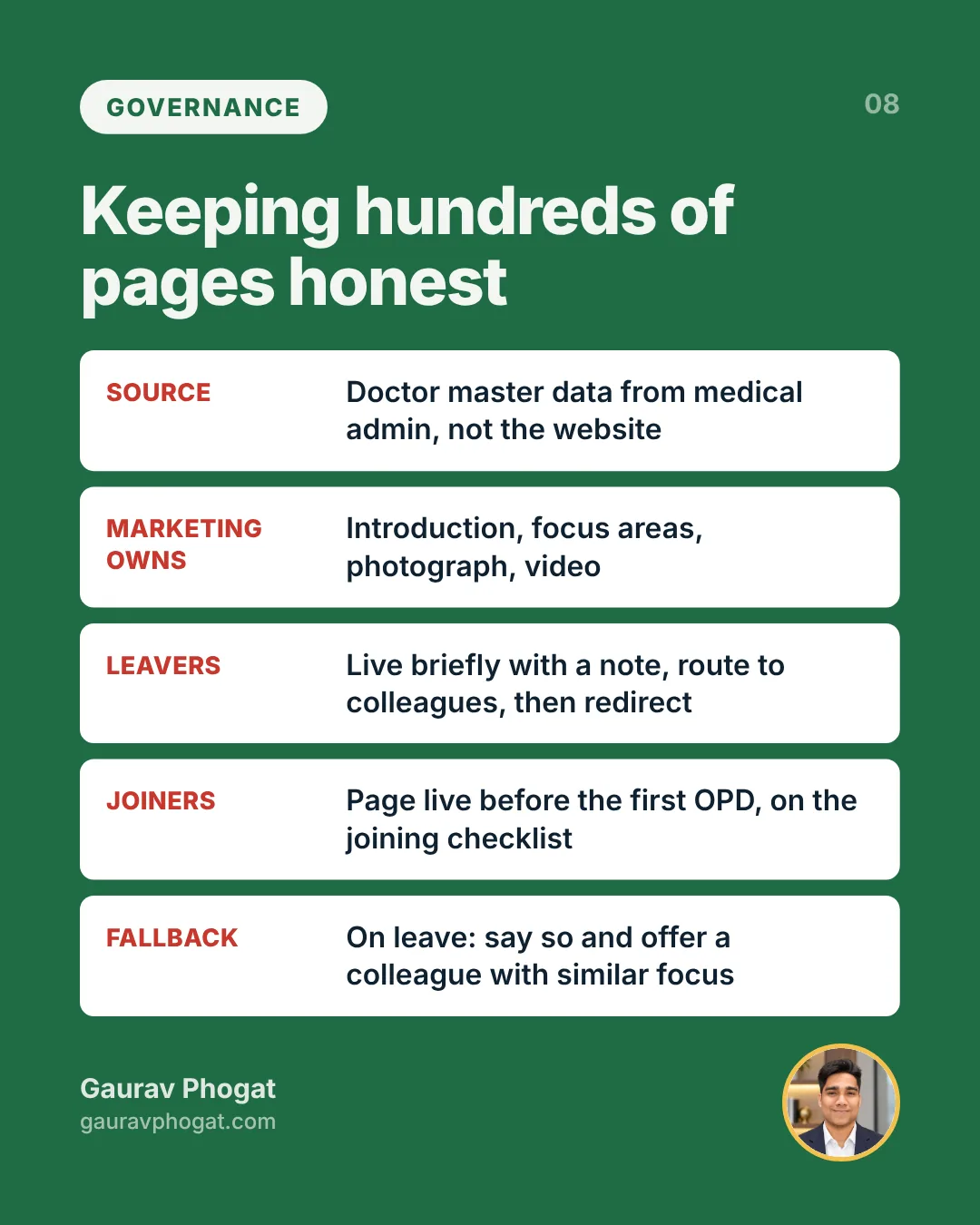
Check the fallbacks too. If the doctor is on leave, the page should say so and offer a colleague with a similar focus, not a booking form into a void. If the doctor has left the hospital, the page needs a plan, which I come to below.
Search, maps and AI assistants read the same page
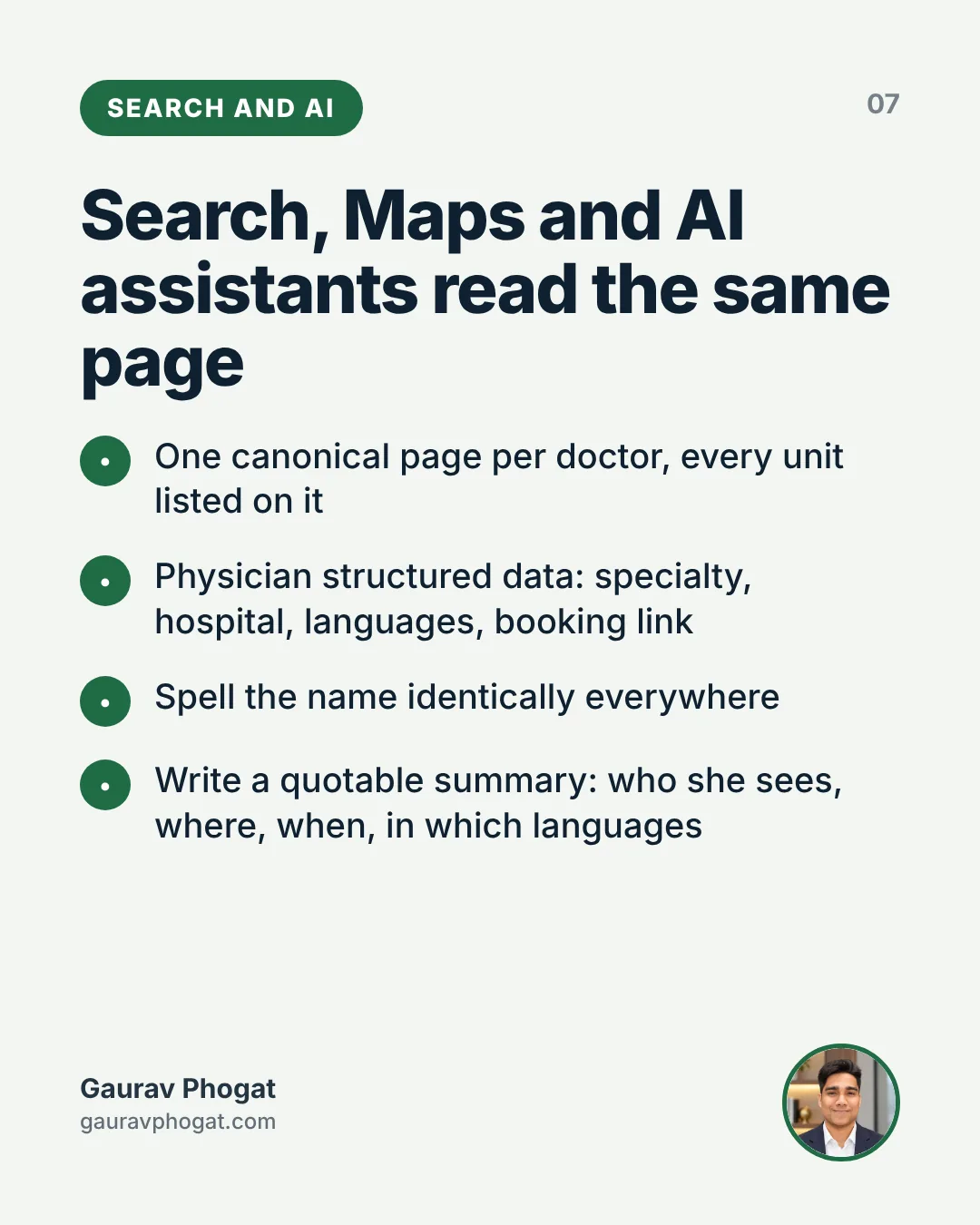
Doctor pages rank for the doctor’s name and, more and more, for specialty plus locality searches. They also feed the AI assistants that now answer questions such as which cardiologist near a particular locality speaks Bengali. The same discipline serves all of them.
Keep one canonical page per doctor, even when they practise at several units, with every unit listed on it. Separate pages per unit split authority and create conflicting information. Add structured data for a physician, including specialty, affiliated hospital, languages and a booking link. Spell the doctor’s name identically everywhere: website, Google Business Profiles, directories, printed material. Small variations, with and without the middle initial or the honorific, produce duplicate listings that someone later has to clean.
Write the summary so that it can be quoted. AI assistants lift clear, factual sentences: she sees adults with diabetes and thyroid disorders at the main hospital on weekday mornings and speaks Hindi, English and Punjabi. That sentence answers a question. A paragraph of adjectives does not. The wider argument is in getting a hospital cited by AI search, and the AI search visibility audit is a quick way to see where your doctor pages stand today.
How do you govern hundreds of doctor pages?
A single well-built page is easy. A group with several hundred consultants across units, joiners and leavers every month, shifting OPD timings and visiting consultants has a data problem before it has a content problem.
The source of truth should be the doctor master data that medical administration and scheduling already maintain, not the website. The site should pull name, specialty, units and timings from that master, and marketing should own only the content layers: introduction, focus areas, photograph, video. Where integration is not yet possible, run a monthly reconciliation between the scheduling system and the site, owned by a named person, with each unit head signing off their list.
Leavers need a policy agreed in advance. My preference is that when a doctor leaves, the page stays live for a short period with a clear note and routes patients to colleagues in the same specialty, and then redirects to the specialty page. Deleting it outright throws away search history and leaves patients who remember the name with an error page. Keeping it live as though nothing changed is worse, because someone books a doctor who is no longer there.
New joiners should have a page live before their first OPD, not weeks after. In most groups it is the slowest part of onboarding, because everything depends on someone chasing a busy clinician. Put it on the joining checklist medical administration already runs, and it stops being a favour.
Working with doctors on their own pages
Doctors care about their pages more than almost anything else the marketing team produces. That is useful. It means you get attention, and it means you get strong opinions.
The common tension is that doctors want the page to show everything they can do, while the page converts better when it leads with what they most want to see. The way through, in my experience, is to frame focus areas as the patients they want more of. A surgeon with a broad practice usually has two or three procedures they would like to grow. Putting those first serves them.
Give every doctor a fixed template to review rather than a blank document. Ask them to correct and approve, not to write from scratch. Agree a single annual refresh, plus immediate updates whenever timings change. And be consistent: the same structure, photo standard and tone for the senior consultant and the newest associate. Visible differences in page quality within a department become an internal political issue quickly. The broader point, that the brand is bigger than any one doctor, is much easier to hold when every doctor is presented to the same standard.
Fixing the first twenty profiles
Do not start by rebuilding every page. Pick the twenty doctors who matter most to this year’s plan: high-demand specialties, newer consultants you need to fill, service lines the group is pushing.
In the first month, get the first screen right on those pages: photograph, plain specialty, units and days, languages, one booking button. Fix the booking flow so it arrives pre-filled and confirms instantly, and tag every booking with its source page. In the second month, rewrite focus areas with each doctor in patient language and add structured data. In the third month, compare those twenty pages with the rest on bookings per visitor and on completed consultations traced back to each page. Compare within a specialty and unit, and if traffic is strong but bookings are weak, check clinic availability before blaming the page. Then take that comparison to the medical director and unit heads to fund the rollout.
In parallel, settle governance before you scale: the master data source, the joiner and leaver policy, and a named owner. Without those, the next hundred pages will drift the way the first hundred did. For the wider OPD picture, the OPD growth checklist and the piece on increasing OPD patients sit naturally alongside this work. The doctor page is where most of that demand first meets your hospital. It deserves more than a CV.




What URL structure should a find-a-doctor directory use?
Get the URL pattern right once and you avoid years of redirects. The rules I use:
- One canonical URL per doctor, for example /doctors/dr-a-sharma/ (example), regardless of how many units they consult at.
- No unit in the doctor’s path. Doctors change units more often than they change names. A unit in the path means a new URL every time they move.
- Readable slugs, not database IDs. Resolve name collisions with a specialty or a short suffix, and keep it stable.
- No tracking or session parameters on internal links to doctor pages.
- Language versions on their own URLs, such as a /hi/ path for Hindi, linked to and from the English page.
The find a doctor page itself, the search and filter interface, is a tool for patients, not a set of pages to rank. Decide deliberately which listing pages deserve to be indexable, usually one list per specialty per unit, and keep the rest out of the index.
Indexation of large doctor directories
A group with hundreds or thousands of doctors has an indexation problem before it has a ranking problem. In audits, I usually find three causes.
Filter combinations
Filters for specialty, unit, gender, language and availability can generate a URL for every combination. Crawlers then spend time on near-duplicate lists instead of doctor pages. Google’s crawl budget guide recommends consolidating duplicates and keeping low-value parameter URLs out of the crawl, and warns that noindex does not save crawling because Google still has to request the page.
Links that are not links
Many directories load doctor cards with JavaScript and navigate with click handlers. Google’s guidance on crawlable links is blunt: it can only reliably crawl a link that is an a element with an href. If your doctor cards are not real links, Google may never find the pages.
Thin profiles
A name, a photo and a specialty is not a page. Profiles that thin are often left out of the index or flagged as soft 404s. Set a minimum before a doctor page goes live: specialty, units and OPD timings, qualifications, languages, conditions treated and a short bio approved by the doctor.
Support all of this with an XML sitemap for doctor pages that carries accurate last-modified dates and only includes live, canonical URLs. Then compare, monthly, the number of indexed doctor pages in Search Console with the number of active doctors on the HR list.
Internal linking from specialty and unit pages
Doctor pages rank on the strength of the pages that link to them. The structure I build is simple:
- Each unit page links to that unit’s specialty pages.
- Each specialty page at a unit lists the doctors who consult there, with the doctor’s name and specialty as the link text.
- Each doctor page links back to every unit and specialty page it belongs to.
- Condition and procedure pages link to the treating doctors at each unit.
- Articles written or reviewed by a doctor link to the doctor’s page, and the doctor’s page lists them.
Google advises that anchor text should be descriptive and make sense out of context. “Dr A. Sharma, cardiologist” beats “View profile” on every card. Add breadcrumbs that reflect the same hierarchy. This linking pattern is the practical side of the specialty-by-location grid in keyword mapping for hospitals.
Doctor profile page SEO on the page itself
With structure and indexation fixed, the page needs to answer the query clearly. My standard page elements:
- Title tag with name, specialty and main city, for example “Dr A. Sharma, Cardiologist in Indore | Example Hospital”.
- H1 with the doctor’s name as patients know it.
- Specialty, units and OPD timings in the first screen, not below a long biography.
- A unique bio written with the doctor, in plain language, covering areas of focus and approach. Not copied from a CV, not repeated across units.
- Qualifications, registration details if you display them, languages spoken and professional memberships.
- Conditions and procedures listed as links to the relevant pages.
- A real, recent photo with descriptive alt text.
- A visible last-updated date, so patients and reviewers can see the page is maintained.
Add IndividualPhysician structured data generated from the same fields, with practicesAt pointing to each unit. The code and the reasoning are in medical schema markup.
Which E-E-A-T signals belong on a doctor page?
Google’s guidance on helpful, reliable content says trust matters most, and that topics affecting health get more weight on experience, expertise, authoritativeness and trust. A doctor page is where a hospital can show all four honestly.
- Training and qualifications, stated factually.
- Clinical interests and the conditions the doctor actually treats at your units.
- Publications, teaching roles and professional society memberships, where they exist.
- Articles the doctor has written or clinically reviewed on your site, linked from the page.
- Consistency: the same name, specialty and units on the page, the Business Profile and the main platforms.
What does not belong: superlatives, success rates without a source, patient testimonials and comparisons with other doctors. These raise professional conduct questions for the doctor, which I cover in what hospital ads can and cannot say, and they do nothing for trust. If AI helps draft bios at scale, the review line is set out in AI-generated doctor content review.
Duplicate profiles across units and platforms
The most damaging pattern I find is the same doctor with a separate page for each unit, each with slightly different text. Google has to choose one, often not the one you would choose, and the others compete with it. Consolidate to a single page per doctor, with every unit and its timings on that page, and redirect the old unit-level URLs to it. Google’s documentation on consolidating duplicate URLs ranks redirects as the strongest signal, ahead of rel canonical and sitemaps.
Off your site, check the doctor’s profiles on the main discovery platforms and any practitioner Business Profile. Units, timings and specialty should match. Where the hospital manages those profiles, the checks belong in the same monthly routine as the listings work in multi-location GBP management.
Visiting consultants and name variants
Two Indian patterns need explicit rules. Visiting consultants, who come to a unit on fixed days, should appear on the same single doctor page with those days listed against the unit, not on a separate “visiting” page. If they also consult elsewhere, say so plainly; patients will find out anyway, and consistency with other platforms helps Google match the entity.
Name variants are the other trap. Patients search “Dr Sharma cardiologist”, “Dr Anil Sharma” and a regional-language spelling, while the HR record says “A. K. Sharma”. Choose the display name the doctor is known by, use it identically on the page, the listings and the platforms, and mention common variants naturally in the bio where it reads well. Do not create separate pages for each spelling.
Teleconsultation
If a doctor offers video consultations, show it on the same page as a booking option with its own timings. A separate teleconsultation profile for the same doctor splits signals again and confuses patients about where to book.
When a doctor leaves
Doctors leave, and hospitals handle it badly: the page returns an error, or it redirects to the homepage, or it stays up with the doctor still bookable. Each option is wrong in a different way. A decision rule I use:
- Remove the doctor from every listing: unit pages, specialty pages, condition pages, the find a doctor index and the sitemap, on the day the exit is confirmed.
- If the page has meaningful traffic or links, permanently redirect it to the most relevant equivalent, usually the specialty page at the unit where the doctor practised, which lists the doctors now available.
- If it has neither, return a 404 or 410 so it drops out cleanly.
- Never redirect departed doctors to the homepage. It helps no patient, and blanket redirects to unrelated pages can be treated as soft 404s anyway.
- Handle any practitioner Business Profile the hospital manages, under the group’s agreed policy.
Google’s redirect documentation recommends server-side permanent redirects when a URL should change in search results. Whose audience it is when a well-known doctor leaves is a separate question, argued in doctor personal branding in a hospital group.
A checklist for doctor profile page SEO
- One canonical URL per doctor, no unit in the path, readable slug.
- Doctor cards are real links; filter combinations kept out of the index.
- Minimum content standard met before a page goes live.
- Specialty and unit pages link to doctors with descriptive anchor text, and doctors link back.
- Title, H1, specialty, units and timings in the first screen.
- IndividualPhysician markup generated from the same data.
- Indexed doctor pages reconciled against the HR list monthly.
- A leaver protocol with redirects to relevant pages, never the homepage.
For the wider context, including profiles, reviews and authority, start with the local SEO playbook for hospitals. The healthcare local SEO audit checklist includes these doctor directory checks.
The full guide: Hospital digital marketing in India: a channel-by-channel guide.
Further reading from primary sources
- Google Search Central: SEO starter guide: Google’s own baseline SEO practices.
- Google Search Central: Introduction to structured data: how markup helps search understand a page.
- Google Search Central: Creating helpful, reliable, people-first content: Google’s guidance on experience, expertise and trust.
For the full picture, from Google Business Profile to Google Ads and enquiry handling, see the guide to digital marketing for doctors in India.
Read next
Questions people ask
A doctor profile page is the page on a hospital website dedicated to one consultant. Done well, it tells a patient what the doctor treats, why they can be trusted, where and when they practise, which languages they speak and how to book. It is one of the highest-intent pages on the site, because patients arriving there have usually already decided they need care and are choosing whom to see.
Because they sit closest to revenue of any content the hospital publishes. Patients looking up a specific doctor are near the decision to book, and a weak page sends them to a phone line that may be busy or closed. Improving these pages is one of the cheapest ways to convert demand the hospital already has, without spending more on advertising or discounts.
I lean towards yes, or at least showing the fee clearly within the booking step. Hidden fees create abandonment and uncomfortable moments at billing. If leadership is reluctant, look at why. Often fees differ across units or doctors without a clear logic, and the page simply exposes that. Fixing the pricing logic first makes the display decision far easier for everyone.
The medical director, or the heads of department, should approve the clinical scope on every page: the conditions and procedures listed. That protects accuracy and keeps the hospital within medical advertising norms. They are also the right partners for resolving disputes between doctors about how focus areas are presented, since those disputes are partly clinical and partly about practice building.
No. Since 6 October 2026, NMC guidelines bar patient testimonials in promotion, even with consent. Doctor pages should show recognised qualifications, specialty, registration details and availability, which the guidelines treat as patient information.
Mainly two things. First, a feed of doctor master data (names, specialties, units, OPD timings) from the scheduling or HR system into the website, so the site is not maintained by hand. Second, a booking integration that can open with the doctor and unit pre-selected and pass the source page into the CRM. Both are worth prioritising above cosmetic redesign work.
Keep one page per doctor and list every unit, with days and timings for each. Separate pages per unit split search authority and create inconsistent information when one page gets updated and the other does not. The booking step can then ask the patient to choose the unit, with the doctor already selected, so nobody has to start the journey again.
Agree the policy before it happens. A sensible approach is to keep the page live for a short period with a clear note that the doctor no longer practises there, route visitors to colleagues with similar focus areas, and then redirect to the specialty page. Deleting immediately loses search history. Leaving it unchanged is worse, because patients book someone who is gone.
Yes. AI assistants increasingly answer questions such as which specialist nearby speaks a particular language or sees a particular condition. They draw on clear, factual, consistent information. A doctor page with plain sentences about focus areas, units, timings and languages, backed by structured data and consistent naming across listings, is far more likely to be used in those answers than a list of honours.
More coordination than technology. The heavy work is gathering accurate data, photographing doctors, drafting introductions and getting sign-off from busy clinicians. Starting with a focused set of priority doctors keeps it manageable and produces evidence. After that, the effort shifts to governance: keeping the master data, joiners and leavers, and timings current every month, which needs a named owner rather than a project.
Look at visitors, booking starts, completed bookings and, most importantly, completed consultations traced back to the page. Compare doctors within the same specialty and unit, since that controls for demand. When traffic is strong and bookings are weak, check availability before blaming the page. Sometimes the real issue is that the doctor’s clinic has no free slots.
A CFO should expect a clear line from page changes to booked and completed consultations, not a report on traffic. The spend is modest compared with media, and the benefit comes from converting demand that already exists. Ask the digital team to show the before-and-after comparison on a priority group of doctors before approving a full rollout across the group.
They should own the doctor master data: names, credentials, specialties, units, timings, joining and leaving dates. Marketing owns the presentation layer on top of it. When HR and medical administration build the website page into the joining checklist, new doctors appear online before their first OPD, and leavers are handled cleanly rather than discovered months later by an unhappy patient.
Usually because their pages are indexed, complete, fast and consistent, while hospital pages are thin, duplicated across units, loaded by JavaScript or missing from the index. The hospital has the stronger claim, since it is where the doctor actually practises. Fix indexation, give each doctor one complete page, link to it from specialty pages, and the balance usually shifts.
Technical fixes such as crawlable links, consolidation and sitemaps can show results within weeks for doctors whose pages were simply not indexed. Improvements from better content and internal linking usually take a few months, as Google recrawls and reassesses the directory. Track indexed doctor pages and organic entrances by doctor from the start so progress is visible.
Mostly developer time for templates, links and redirects, plus editorial time to write bios with each doctor. The editorial effort scales with the number of doctors and is often underestimated, because doctors are busy. Prioritise specialties with the most demand and capacity, and build a standard bio format that a writer can complete in one short conversation.
A writer or content lead, working from a short conversation with the doctor, with the doctor approving the final text. The doctor knows their interests and approach; the writer knows how patients read. Avoid copying CVs, and avoid copying the same bio across units or platforms. Record the approval date so the page can show when it was last reviewed.
A little. Doctors should approve their bio, confirm their units and timings, and ideally write or review a few patient-facing articles that link back to their page. They should also tell the team when their practice changes. Most of the SEO work is structural and belongs to the web and content teams, not the doctor.
Read my takes first in Google Search
